 MotorTrack
The digital maintenance logbook for individuals
All your vehicles' maintenance, in one place.
History, services, repairs and upcoming due dates: keep track of all your vehicles, with no paper logbook and no lost invoice.
30-day free trial starting when you add your first vehicle, no credit card required
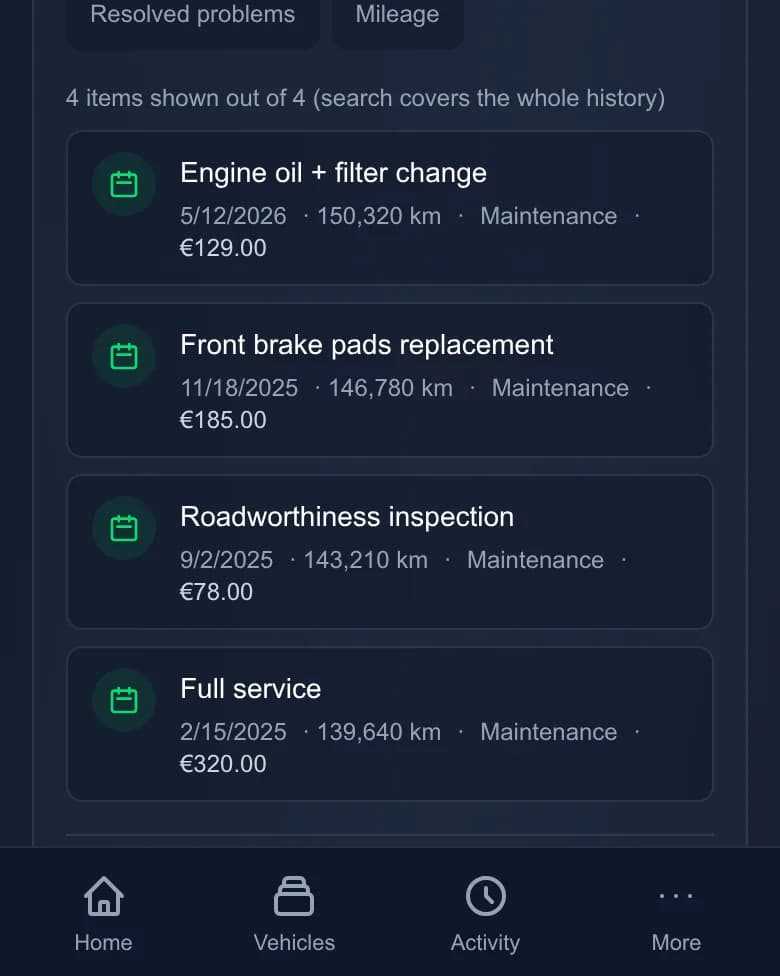


A vehicle's page and its service history.
What MotorTrack keeps for you
A service, a mileage reading, a defect: everything stays linked to the vehicle and easy to find later.
Log every service
Oil change, tyres, inspection: record the date, the mileage and the details of what was done.
Follow a defect until it's fixed
A noise, a warning light, some wear: open a defect, follow its progress and close it once repaired.
Find the history and plan ahead
See a vehicle's whole past in one place and keep its upcoming due dates in view, by date or by mileage.
Fuel and shared tracking
Log your fill-ups and fuel spending. A vehicle can also be shared with someone close to you: invite them by email, read-only or with contribution rights.
How it works
Three steps to get started
Add a vehicle
Enter its make, model and current mileage.
Log an event
For each service, repair or fill-up, add a line with the date and mileage.
Check the history and reminders
Find everything that was done and what's coming up, without digging through paperwork.
AI-assisted tracking
Your history stays in MotorTrack. Your AI assistant looks it up or adds to it when you ask.
Optional: MotorTrack also works on its own, without an assistant.
To use it with an AI assistant, you need one that supports connectors (the MCP standard), such as Claude. MotorTrack can be tried free for 30 days; access to the assistant depends on its provider.
Example requests
You tell your assistant
« I had the oil changed yesterday, at 84,000 km. »
In MotorTrack
An "Oil change" service is added to the vehicle's record, with its date and mileage.
You tell your assistant
« Which due dates are coming up? »
In MotorTrack
You get the vehicle's upcoming due dates, by date or by mileage.
How to use it
- Create your MotorTrack account: 30-day free trial, no credit card required.
- In Settings → Connected apps, connect your assistant in a few clicks (for example as a connector in Claude.ai).
- Then ask your questions or dictate your services, defects and readings to your assistant.
The assistant does not monitor your vehicles continuously and is no substitute for a mechanical diagnosis: it acts on your data when you ask. You can revoke its access at any time from your settings.
Need help connecting your assistant? MotorTrack support is here for you.
Try it free for 30 daysChoose your plan
30-day free trial with no credit card, then subscribe only if you want to continue
ℹ️ Indicative pricing: the final price is shown in your personal space after you sign up.
Free trial
No credit card required. The 30 days start when you add your first vehicle.
Up to 10 vehicles
- Unlimited event tracking
- Unlimited defect tracking
- Unlimited export and import of your data
Plus
or €49.90 per yearSave 17%
Subscribe only if you wish after the trial, no automatic charge.
Up to 10 vehicles
- Everything in Free trial, plus:
- Priority support
Are you a professional?
Garages, automotive professionals and independents: manage your jobs from the MotorTrack pro space, a dedicated site with offer and pricing details.
Discover the pro offerDo you manage a fleet?
Fleet managers and vehicle pool owners: follow the operations of all your vehicles from the MotorTrack fleet platform, a dedicated site with offer and pricing details.
Discover the fleet platform